
Blade Application Guides / Application Guide / Semiconductor assembly
Cleanroom Wafer Separator Sheet Cross-Cutting Blades
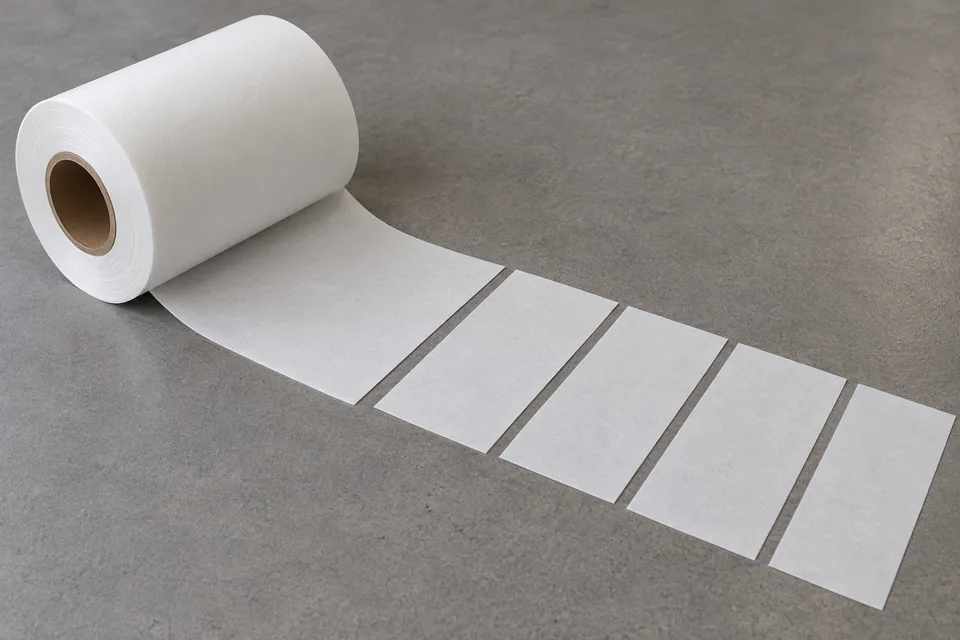
A wafer interleaf or separator sheet is a handling material placed between delicate wafers in some packaging systems. One supplier example is a low-lint HDPE fiber sheet rather than conventional paper, so “wafer separator paper” must not be treated as a universal cellulose specification. Cross cutting converts the supplied web into separate blank lengths while keeping the contact faces and edges clean.
Updated
Where This Cutting Application Appears
Specify the interleaf material
DuPont names Tyvek 1025D and 1056D for wafer spacers. These are HDPE-fiber sheets, so a purchasing label of separator paper must not be taken as a cellulose specification. Confirm the chosen style and supplied web width before planning transverse lengths.
Set a clean blank size
Cross cut one web width into separate blanks sized for the wafer shipper or later shape cutting. Use the buyer’s packaging drawing for length, corner allowance and sheet orientation. A later circular die cut is a separate operation with its own particle and edge checks.
Minimize fiber release
Examine the entire cut line for loose fibers, feathered strands and torn spots. Compare the cut edge with an untouched edge and collect particles without rubbing the wafer-contacting face. DuPont highlights low linting and smoothness as reasons for this application.
Handle the contact face consistently
Keep the wafer-facing side and any antistatic treatment identified through cutting, stacking and packing. Inspect sample blanks after the same vacuum handling or separation step expected at the packaging line, because an edge that sheds only during lift is still unsuitable.
Verify in the actual shipper
Place trial interleaves in the intended wafer-handling fixture and check fit, bunching and edge exposure without contacting a production wafer. The device owner sets particle, scratch, ionic contamination and ESD criteria; cutting alone cannot establish protection.
Define the Required Cut Result
- Meet the buyer-specified blank length and registration to features.
- Complete the transverse cut without tearing or dragging the workpiece.
- Preserve the specified surface and edge condition on both faces.
- Keep blanks and scrap identified through collection.
- Apply the buyer’s material-specific acceptance plan for cleanroom wafer separator paper.
Problems to Diagnose Before Changing the Knife
Blank length changes during a run
- Measure index distance and web tension before and after the drift.
- Check encoder, nip slip and the cut trigger against registration marks.
- Compare dimensions before and after stacking.
The cut is clean at one side but ragged at the other
- Inspect blade parallelism, support and local pressure across the width.
- Check whether web skew or material thickness varies.
- Compare accepted and rejected edges from the same run.
A blank curls or creases after cutting
- Locate where the defect first appears.
- Review hold-down, takeoff, stacking and any release liner.
- Compare an untouched control from the same lot.
Particles appear on the newly cut edge
- Inspect blade condition and support contact.
- Distinguish cut debris from particles acquired during stacking.
- Apply the buyer inspection method at the point of use.
Separator blanks shed fibers at the cross cut
- Identify the actual sheet construction and inspect both exposed edges.
- Compare blade condition, backing support and cutting direction.
- Use the buyer particle method after normal stacking.
Knife Forms That May Be Considered
| Possible knife form | When it may be considered | What must be confirmed |
|---|---|---|
| Cross-cut shear blade set | For transverse sheet or web cutting on a compatible shear station. | Confirm blade length, mounting, engagement and support from the line drawing. |
| Rotary cross-cut knife | For a compatible synchronized rotary cross-cut station. | Confirm cylinder geometry, timing and registration with a production-speed trial. |
Information to Send for Technical Review
You do not need to know the exact blade name. Send the available workpiece, machine, current-knife and cut-result information so the application can be reviewed against a drawing or sample.
- Actual separator grade and fiber or film construction
- Wafer contact-face orientation and blank layout
- Cleanliness, lint and scratch acceptance criteria
- Handling and packaging conditions for trial blanks
- Web or sheet width, thickness range and feed direction
- Target blank length and registration drawing
- Blade holder, shear or rotary cylinder drawing
- Line speed, indexing and tension records
- Accepted and rejected edge samples
- Takeoff, stacking and waste handling method
Questions About This Cutting Application
How does cross cutting differ from slitting?
Cross cutting separates sheets across web travel. Slitting divides the moving web lengthwise into continuous narrower lanes. Check sheet length and registration versus slit width.
Is overall blank length the only dimension to inspect?
No. Check length, width, squareness, edge fibers and cleanliness against the spacer drawing. A circular profile or holes require a separate shape-cutting operation.
Can a blade be selected from the material name alone?
The buyer’s shipper drawing, Tyvek style, contact-face instructions and cleanliness criteria are needed; thickness by itself does not define an acceptable edge.
When should the edge be inspected?
Check the cut edge after severing and again after the planned stacking or vacuum pick-up, where fibers can lift or transfer.
Does a successful cut prove device performance?
No. Wafer protection is confirmed by the packaging owner’s cleanliness, scratch and ESD evaluations, not by a neat edge alone.
Is cleanroom wafer separator paper necessarily cellulose paper?
No. Wafer interleaf grades may be nonwoven polymer sheets. Confirm the actual product specification.
Public references and scope
These public sources provide material, cutting-method or safety context for this guide. Supplier pages describe their own materials or equipment; they do not establish a MEIRENTE blade specification or performance claim. Confirm the actual grade, machine setup and required cut with a drawing or sample.
Related product and service information
- Cleanroom Wafer Separator Paper Rotary Die-Cutting Blades - cleanroom wafer separator paper · rotary die cutting
- UV-Release Wafer Dicing Tape Cross Cutting Blades - UV-release wafer dicing tape · cross cutting
- Leadframe Protective Cover Tape Cross Cutting Blades - leadframe protective cover tape · cross cutting
Request a Custom Cutting-Knife Review
Send the workpiece details, machine or holder information, current knife photos or sample, required quantity and examples of the present cut problem. Final dimensions, material, edge geometry and tolerances are confirmed from the approved requirements.